SuperQR no special knowledge required: everything works from the browser
and it doesn't take more than a couple minutes

Print out a qr code for the menu, clip it to each table - guests can open the electronic menu by qr code from their smartphone.
After scanning, a digital menu is available: photos of dishes, description, prices. In ordering mode, you can immediately add items to the cart and send the order.
The customer can pay the bill, leave a tip and even call the waiter through the menu by online Cuar code. The call comes into the system with the table number.
Use smart QR codes for restaurants as part of modern
customer ecosystem - simple, convenient and efficient.

With an electronic menu, you don't need new stamps when you change prices or add dishes.

Reduces paper costs, improves the perception of the establishment and is in line with trends.

You don't have to spend time bringing a menu or taking an order - the menu automatically sends the data to the kitchen.

In the system, you can assign a waiter and orders will come exactly from the right table.

The client sees bright photos and makes a decision faster. This boosts sales and increases income
Leave a request or just email us - we'll find the best solution, show you how SuperQR works, and help you get started


Electronic menus from SuperQR are not just qr code menus, but a full-fledged digital service. The guest scans the menu with a qr code, opens the food catalog and can order online. There are two modes in the system: viewing and ordering. In the first case - only acquaintance with the dishes. In the second - the ability to select items, pay and send the order to the kitchen. All orders are recorded in the admin panel and synchronized with iiko and R-Keeper.
The menu has a button to call a waiter, the ability to leave a tip online, and order analytics. The manager sees reports on popular items, sales dynamics and guest feedback. This is a modern online menu service that replaces paper charts and helps businesses manage the room efficiently. It is possible to implement and create qr menu in 1 day without complicated customizations.
SuperQR Easily connects to CRMs, messengers, review platforms and analytics - so you get more data and less of a routine
SuperQR is already helping dozens of businesses collect more reviews,
Increase customer engagement and enhance online reputation.
Below are the opinions of real users who have integrated the
our service into your work.
We actively use the service in our work, we note
ease of operation and ease of use for
customers, easy perception of information, convenient
interface, necessary functionality for
monitoring the fulfillment of business KPI objectives,
formation of client base.
Separately we would like to note the work of the support service
who promptly solves problems and offers to
improvements on service and customer interaction.
We will continue to cooperate in the future.

(product used by the customer)

In November 2022, we implemented a SuperQR system in the
As part of a pilot project to evaluate the performance of each
facility. QR codes were placed at the cash registers,
apron, information and other key areas.
Now every visitor can quickly and conveniently
to leave your feedback on the service, and we, for our part,
we get the opportunity to quickly process
provide feedback and take action to improve
quality of service.
SuperQR has become...

(product used by the customer)

I believe that customer feedback and testimonials
the most important attribute of the hotel business. It is
allows for the timely identification and elimination of
flaws, find weaknesses, and most importantly,
to increase the company's revenue.
I'm sure SuperQR is helping us with that, and on the
Today we can already see and feel the result
in the works.
I consider the main advantage of SuperQR to be convenience:
used to have all the information for guests...
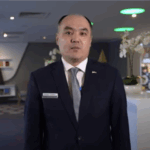
(product used by the customer)
Leave a request or just email us - we'll find the best solution, show you how SuperQR works, and help you get started
Completely secure - guests only use their own devices, eliminating the risk of transferring paper cards.
SuperQR integrates with iiko, R-Keeper and Telegram for notifications.
Yes. There's a waiter call button on the menu, and the request comes with the table number.
The guest selects an amount and submits the payment online.
Yes. Cafe qr code works perfectly for both restaurants and small coffee shops.
No. Menu by qr code online works in the phone's browser.
Yes, basic versions are available. But for a restaurant, a full service with analytics and orders is better.
Through the SuperQR platform - the system automatically generates a unique code for each table.
It's a digital menu, accessible via smartphone, where you can watch dishes, order and pay.
It updates instantly, requires no printing costs and boosts sales through photos and upsells.