SuperQR no special knowledge required: everything works from the browser
and it doesn't take more than a couple minutes

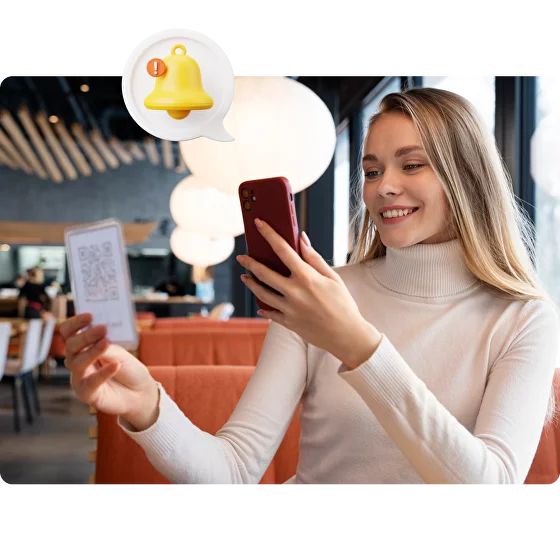
Place unique QR codes on your counter, business card, website or promotional materials. One scan and the customer gets a date and time selection form.
The client selects a service, a convenient slot and if necessary a specialist, confirms the appointment and, if desired, fixes the reservation by online payment.
The request is received in the admin panel or in the employees' messenger. The online enrollment service automatically updates the schedule and sends a confirmation to the client.
Use smart QR codes for restaurants as part of modern
customer ecosystem - simple, convenient and efficient.
Automating customer intake.
Calls and «notebooks» are a thing of the past - everything in a single admin panel.

Speed and convenience for the client.
Recording takes less than a minute: choosing a service, time and confirmation - no calls and no queues.

Fewer absences and cancelations.
Prepaying or locking the slot reduces the number of recording failures.

Single Plan Accounting for Managers.
All entries are visible in a common dashboard - eliminating overlaps and scheduling errors.

Analytics for management.
Reports on reasons for visits, workload, popularity of masters help optimize schedules and marketing.
Scalability. The system easily covers a single location or a network of branches, synchronizes with calendars and CRM.
Leave a request or just email us - we'll find the best solution, show you how SuperQR works, and help you get started


Cost and connection
Connection usually takes 1 working day and does not require complex equipment - QR codes and access to the admin panel are enough.
What the price affects:
Payment by subscription allows you to start with a basic package and expand the functionality as your business grows. A pilot launch for a single point is available on request.
SuperQR is a modern tool that takes the load off employees, makes the recording process fast and convenient for clients, reduces cancellations and errors, and provides businesses with analytics for growth. Implementation of online appointment by QR code is a step towards automation, improved service quality and competitive advantage in the market.
SuperQR Easily connects to CRMs, messengers, review platforms and analytics - so you get more data and less of a routine

SuperQR is already helping dozens of businesses collect more reviews,
Increase customer engagement and enhance online reputation.
Below are the opinions of real users who have integrated the
our service into your work.
We actively use the service in our work, we note
ease of operation and ease of use for
customers, easy perception of information, convenient
interface, necessary functionality for
monitoring the fulfillment of business KPI objectives,
formation of client base.
Separately we would like to note the work of the support service
who promptly solves problems and offers to
improvements on service and customer interaction.
We will continue to cooperate in the future.

(product used by the customer)

In November 2022, we implemented a SuperQR system in the
As part of a pilot project to evaluate the performance of each
facility. QR codes were placed at the cash registers,
apron, information and other key areas.
Now every visitor can quickly and conveniently
to leave your feedback on the service, and we, for our part,
we get the opportunity to quickly process
provide feedback and take action to improve
quality of service.
SuperQR has become...

(product used by the customer)

I believe that customer feedback and testimonials
the most important attribute of the hotel business. It is
allows for the timely identification and elimination of
flaws, find weaknesses, and most importantly,
to increase the company's revenue.
I'm sure SuperQR is helping us with that, and on the
Today we can already see and feel the result
in the works.
I consider the main advantage of SuperQR to be convenience:
used to have all the information for guests...
(product used by the customer)
Leave a request or just email us - we'll find the best solution, show you how SuperQR works, and help you get started
Yes. The system allows you to connect a list of services, specify the cost, duration and available specialists. The client immediately sees convenient slots and chooses the appropriate option.
SuperQR service is integrated with secure payment systems. Customer data is encrypted and the process complies with online payment security standards.
The client can cancel the reservation or choose another time through the same QR code entry form. All changes are immediately displayed in the system, the staff does not need to manually adjust the schedule.
Three steps are enough: place the code, connect the form and notifications. The service is launched in 1 day and does not require complex integrations.
The manager sees complete statistics: number of records, workload of employees, popular specialists and demanded services. This data helps to manage the business, analyze efficiency and make decisions to optimize processes.
No. SuperQR is universal. It is used by coffee shops to book tables, clinics to book appointments, fitness clubs to schedule classes, and car repair shops to book repair times. The solution is suitable for any business where speed and convenience are important.
Immediately after the request is confirmed, the data appears in the admin panel and can be duplicated in messenger. The employee sees the client's name, selected service, time and payment status. The schedule is updated automatically, which eliminates overlaps and errors.
Yes. SuperQR supports instant online payment right in the booking process. The customer secures the reservation and the business receives fewer cancellations because the visit is already confirmed by payment.
Any smartphone with a camera is sufficient. The camera recognizes the code and the page with the record form opens immediately. No apps need to be downloaded - this simplifies the process and makes it accessible to all customers.
Classic forms require going to the website and filling in fields, while calls take up the time of the administrator and the client. A QR code immediately opens the appointment form: the client scans the code and selects a date, service and specialist in 30-60 seconds. Everything happens without waiting, call queues and unnecessary actions.