One of the key components of a successful business is the possibility to effectively control different aspects of its functioning. One of the important tools that helps entrepreneurs to control the placement of QR codes at their objects is the «QR Code Control» function in SuperQR.
What is the «QR Code Control» feature?
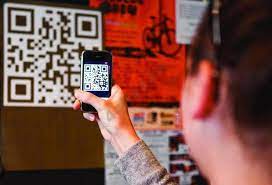
The QR Code Monitoring feature in SuperQR is a tool that allows businesses to track whether QR codes are placed on their facilities or branches. This is an important feature that helps ensure your business is reliable and accessible to customers.
How does it work?
- Feature activation: Using the «Settings» section of the SuperQR, you must enable the «QR Code Control» function for each SuperQR. After that, you need to set a password for this function.
- Sending video and photos: After activation of the «QR Code Control» function, objects and branches have an opportunity to send video and photos of placed QR codes.
- Tracking the placement of QR codes: Branches must scan each placed QR code at the facilities using the «Control» widget. The password must then be entered in the SuperQR Control window.
- View Controls: After authorization the branches need to select a photo or video file with the placed QR code and send it. After that in SuperBI and in the «Object Lists» there will be an opportunity to view the control of QR code placement at the objects.
Why is this important for your business?
The QR Code Control feature allows entrepreneurs to make sure their QR codes are placed at all facilities and branches. This helps ensure that your business is continuously available to customers and increases its efficiency.
With SuperQR's «QR Code Control» feature, you can rest assured that your business is always on call and ready to provide the best service to your customers.