Take a step toward transparent management of tasks, teams, and deadlines—all in one place, without unnecessary complexity.

Task Manager Task Manager requires no complex setup: it runs in the browser and can be launched in minutes.

Create tasks, group them into projects, assign owners and deadlines, and manage team work from one centralized workspace.

Customize task execution stages to fit your processes. Tasks move through statuses, and the team always knows what stage the work is at.
Managers see progress, workload and deadline compliance in real time. Statuses, priorities and assignees can be updated in a click.
Use Task Manager, To start managing tasks online, control processes, deadlines, and results in a single system.
See task ownership and real team workload so work can be distributed more effectively.

The manager sees the progress on projects and tasks without constant clarification and manual control.

Every task has an owner, deadline and status—reducing ambiguity and lost work.

You can see how much time is spent on tasks, where delays occur, and how to optimize processes.
The online solution scales flexibly to accommodate business growth and new departments, and does not require complex implementation.
Leave a request or just email us - we'll find the best solution, show you how SuperQR works, and help you get started


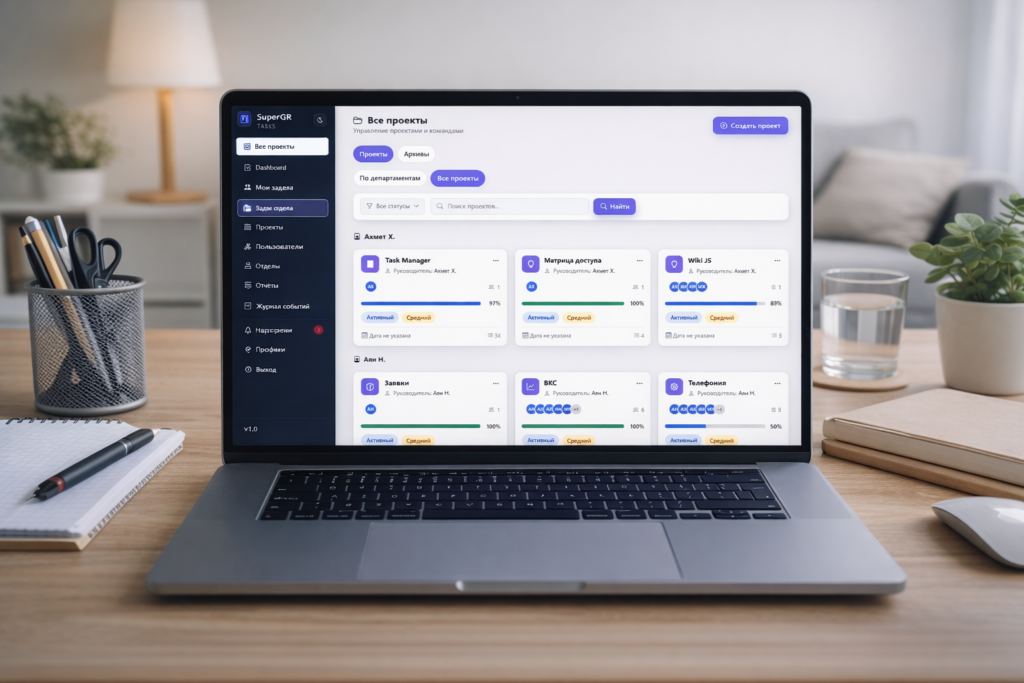
SuperQR Task Manager SuperQR Task Manager is a centralized workspace for tasks and projects where teams update statuses, collaborate and work from shared priorities.
Managers track deadlines, workload and progress in real time while every change is recorded in the system.
No software installation is required. Task Manager runs in the browser and scales from small teams to multi-department organizations.
Subscription pricing is based on users and enabled features such as projects, roles, reports and notifications—without servers or complex deployment.
SuperQR Task Manager is easily scalable: new employees and projects can be added in a day, while management remains centralized and clear. For the team it is a convenient working tool, for the business - control, analytics and efficiency growth.
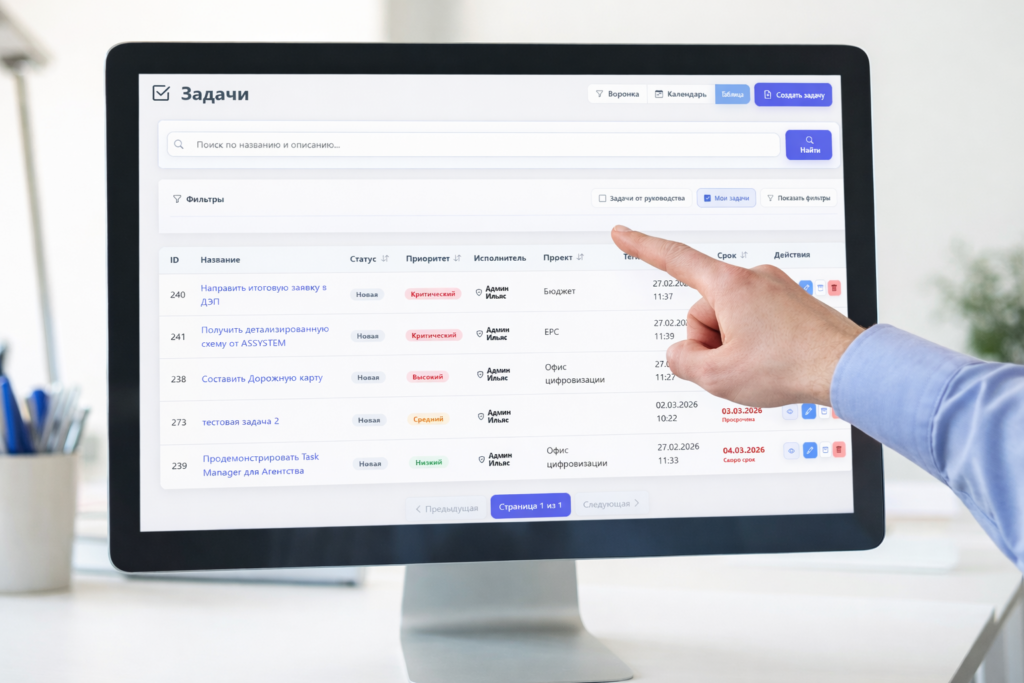
SuperQR Task Manager is a browser-based task and project management platform for assigning work, tracking progress and managing workflows with reports and analytics.
SuperQR task management system is suitable for small teams, departments and companies with several projects. The online task manager is convenient to use in service, IT, marketing, sales and management teams.
Yes, SuperQR Task Manager is suitable for project management. Tasks can be grouped into projects, set up milestones, control deadlines and see the overall progress of each project in one interface.
Tasks are controlled in real time. The online task manager shows current statuses, deadlines, overdue tasks and employee workload, which helps the manager to manage processes promptly.
Yes, the SuperQR project and task management system includes reports and dashboards. They show team efficiency, task completion rate, and key project metrics.
No, the SuperQR task manager works fully online via a browser. No software installation is required and access is possible from any device.
Yes, SuperQR Online Task Manager has flexible roles and access levels. Supervisors, managers and employees see only the information they need for their work.
SuperQR Online Task Manager replaces spreadsheets and separate tools by combining tasks, projects, analytics and control in one system. This reduces errors, speeds up teamwork and increases process transparency.
The cost of Task Manager depends on the number of users and connected functionality. The subscription model allows you to flexibly manage costs and scale the system as your business grows.
Yes, the SuperQR task management system is easily scalable. You can add new employees, projects and departments without complicating processes or losing control.