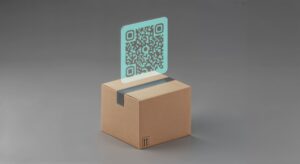

A QR code gives patients a convenient way to provide feedback after a clinic visit. Separate appointment booking, waiting times, clear information and staff communication in your questions. A QR code does not determine what data may be collected or published; that depends on the workflow and applicable requirements.
Define the Purpose of the Form
If the goal is to improve service, keep the survey focused on service. Use a separate appropriate channel for appointments, care discussions and documents. Do not ask for diagnoses, test results or medical records in a routine feedback form.
An Example of a Short Survey
How easy was it to book your appointment?
How would you rate the waiting time?
Was the information about your visit clear?
What could we improve about the service?
Would you like the clinic to contact you about this feedback? Make contact details optional when they are needed for a reply. Adapt these example questions to the clinic’s actual processes.
Explain Data Use before Submission
Tell patients who receives their feedback, why any requested data is needed and where to find the privacy policy. Determine the consent requirements for processing, follow-up contact and publication separately. Submitting private feedback does not by itself authorize publishing a name, photo or details of a visit.
Requirements vary by country and data type. Before launch, review the form, staff access, storage and data transfers with the person responsible for data processing. A QR code or a checkbox alone does not guarantee compliance.
Place the QR Code and Test the Workflow
Place the code at reception, in a waiting area or in a visit handout. Label it clearly as a service feedback form. Test it on phones, review the questions and confirm who receives submissions. If QR points are linked to branches or areas, verify those links with test responses.
Handle Feedback without Disclosing Care Details
Assign responsibility for responses and escalation. Do not disclose care or visit details in a public reply. Move discussion of a specific case to an appropriate private channel.
Keep Private Surveys Separate from Public Reviews
Do not use a private satisfaction score to invite only happy patients to post publicly. Do not offer gifts for Google reviews, and do not solicit Yelp reviews. Follow each selected platform’s rules and keep participation voluntary.
A SuperQR Workflow
SuperQR connects a QR touchpoint with a form and service context. Configure questions, location links and staff access for your clinic. Use the feedback to identify recurring service issues without promising clinical outcomes or guaranteed public ratings.
Sources and policies: Google Maps · Yelp